

1.The device IP and the PC IP are in the same network segment.
For example:
a.The device IP is 192.168.2.168
b.The PC IP is 192.168.2.10
when the IP address like this ,you can use the device IP login in the web for manage the device.
2.The device IP and the PC IP are not in the same network segment.
For example:
a.The device IP is 192.168.0.168
b.The PC IP is 192.168.2.112
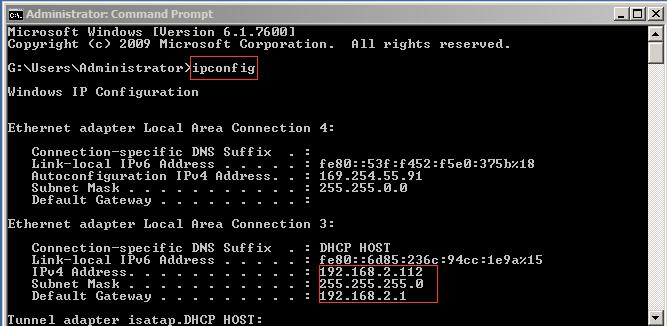
(1).when the PC IP address is used DHCP IP,pls open the “CMD” software,input command “ipconfig”,then you will find your PC IP address.
(2).Open the PC internet setting.click the “network”–>”properties”–>”Internet Protocol Version 4 (TCP/IPv4) Properties ”,input the IP,the IP you can setting the same with the cmd show you.
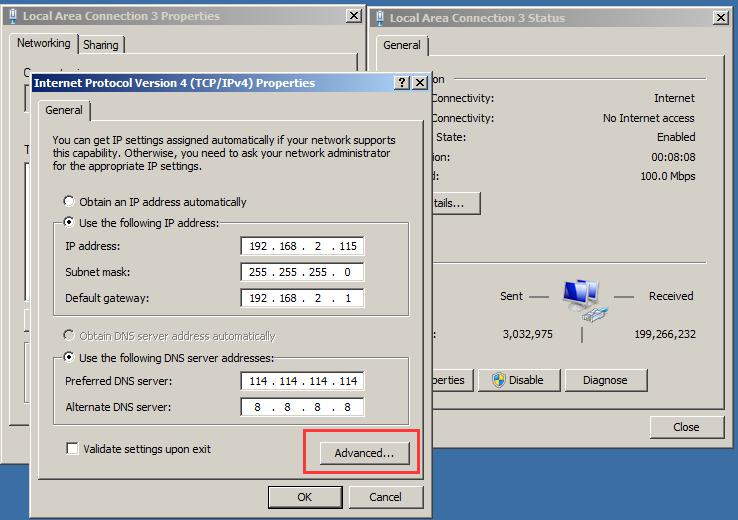
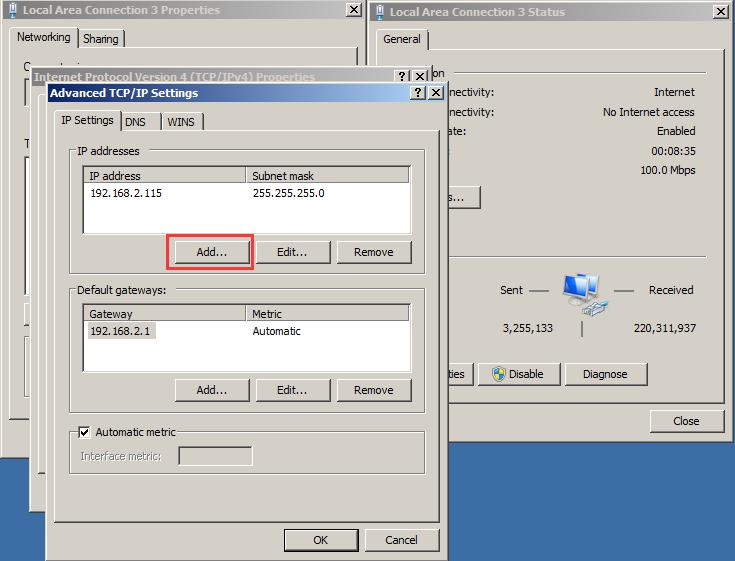
(3).Click the “Advanced” button,Click “Add”
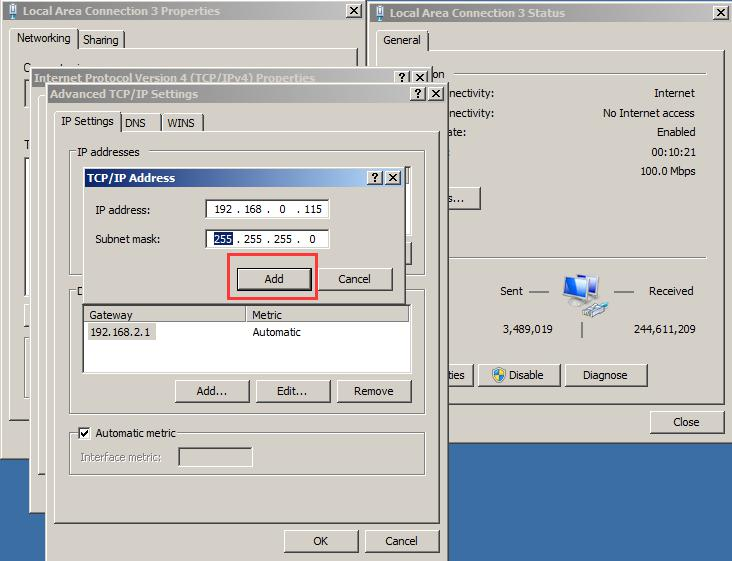
(4).Click “add ”button,add the IP address,like 192.168.0.115(not the same with device IP ),the subnet mask input 255.255.255.0,then save it.
(5).Then you can use the device IP login in the web for manage the device.

 NEED HELP?